
Your website gets visitors, but the enquiry inbox stays quiet. Before buying more traffic or commissioning a complete redesign, check where the journey breaks: are the right people arriving, can they understand your offer, does contacting you work, and does someone follow up?
For a UAE service business, those questions become practical quickly. A visitor might arrive from an English-language search, read an Arabic service page, then switch to WhatsApp. A dashboard can record several interactions while the sales team receives no usable enquiry. This guide helps you separate a measurement problem from a website problem and choose the next fix.
Key takeaways
- Test the complete enquiry journey before changing the design.
- Measure real enquiries separately from button clicks and page visits.
- Fix the clearest point of failure, then compare lead quality as well as volume.
1. Check whether enquiries are missing or just uncounted
Start with a controlled test using your own details. Submit the form from a phone, confirm the success message, and trace the submission into the website record, inbox and CRM. Check spam folders and forwarding rules. Record the time and which team member received it. Remove or label the test lead afterwards so it does not inflate reporting.
A success message proves only that the website displayed a message. An email provider accepting a notification does not prove that your colleague saw it. If a form record exists but the inbox is empty, investigate delivery and routing before rewriting the page. If nothing is stored, investigate the form itself.
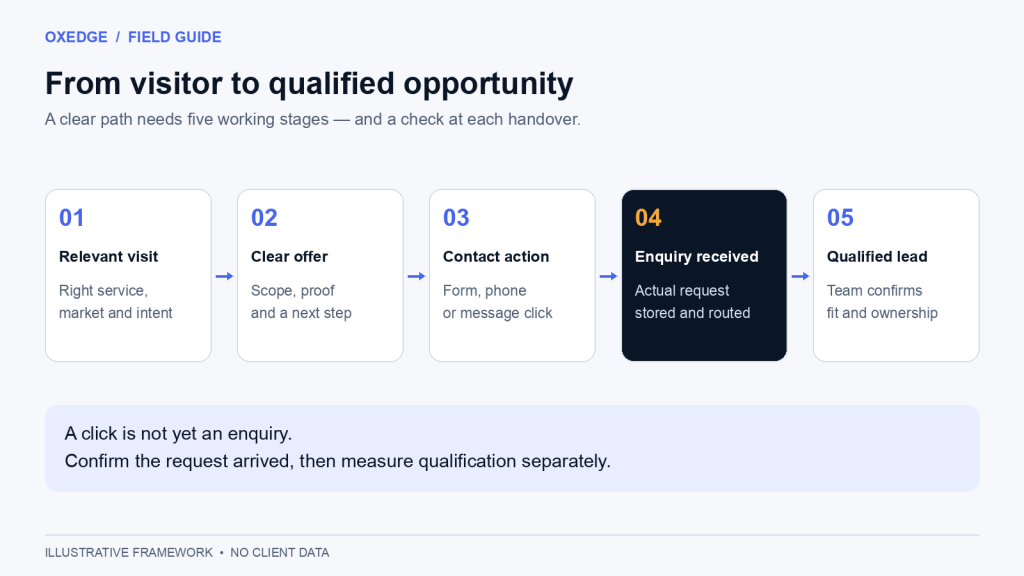
Keep three stages separate: a contact-button click, a received enquiry and a qualified opportunity. A WhatsApp click can open a conversation without the visitor sending anything. A telephone click can open the dialler without a completed call. Neither should automatically count as a confirmed sales lead.
Google Analytics provides a recommended generate_lead event for a submitted form or information request. Configure it around a confirmed submission rather than every click on the submit button. Track contact clicks separately, and reconcile your reports with actual form or CRM records. See Google’s recommended lead event documentation.
Google Analytics defines a key event as an event that measures an action that is particularly important to the success of your business. Mark only the confirmed-submission event as a key event and leave contact clicks as ordinary events, so the key event report counts enquiries rather than intentions.
Source: Google Analytics Help, About key events (viewed October 2026)
2. Find the strongest clue before changing anything
Compare equivalent periods and separate your main landing pages, devices and traffic sources. A large article audience can hide a small service-page audience. An apparent drop after a tracking change might be a reporting issue. Keep a dated note of campaigns, site changes and closures so you can interpret the numbers.
Swipe the table sideways to see every column.
| What you observe | Possible explanation | Check first |
|---|---|---|
| Visits rise; relevant enquiries do not | Traffic may not match your service or market | Landing pages, search queries and campaign targeting |
| Visitors reach the contact page but do not finish | The form may be unclear, demanding or broken | A complete mobile submission and field errors |
| Recorded submissions exceed inbox leads | Tracking may duplicate events, or notifications may fail | Form records, event triggers and delivery logs |
| WhatsApp clicks produce few conversations | The number, message or handover may be wrong | Link destination and received conversations |
| Enquiries arrive but rarely qualify | The offer or audience may be a poor match | Requirements, location, budget and sales feedback |
These are diagnostic possibilities, not conclusions about your business. Reproduce the problem before paying for a solution. On a low-traffic website, a handful of enquiries can move percentages sharply; inspect individual journeys as well as totals.
3. Match the page to the reason people arrived
Someone looking for an emergency repair needs different information from someone researching a yearly maintenance contract. Sending both to a generic homepage makes them do extra work. Use a relevant service page with an offer, location and next step that match the search or advertisement.
Ask a person unfamiliar with your company to read the first screen. Can they explain what you do, whom you serve and how to proceed? Replace vague phrases such as “transforming tomorrow” with a concrete service and audience. For example, an illustrative headline might say “Website maintenance for UAE professional-service firms,” followed by the actual support scope.
Local relevance should be accurate. State the emirates you serve, genuine office or service-area details, available languages and realistic contact hours. Do not imply a Dubai office or round-the-clock support if you cannot provide it. These details help a visitor judge fit before submitting.
4. Make the next step specific and credible
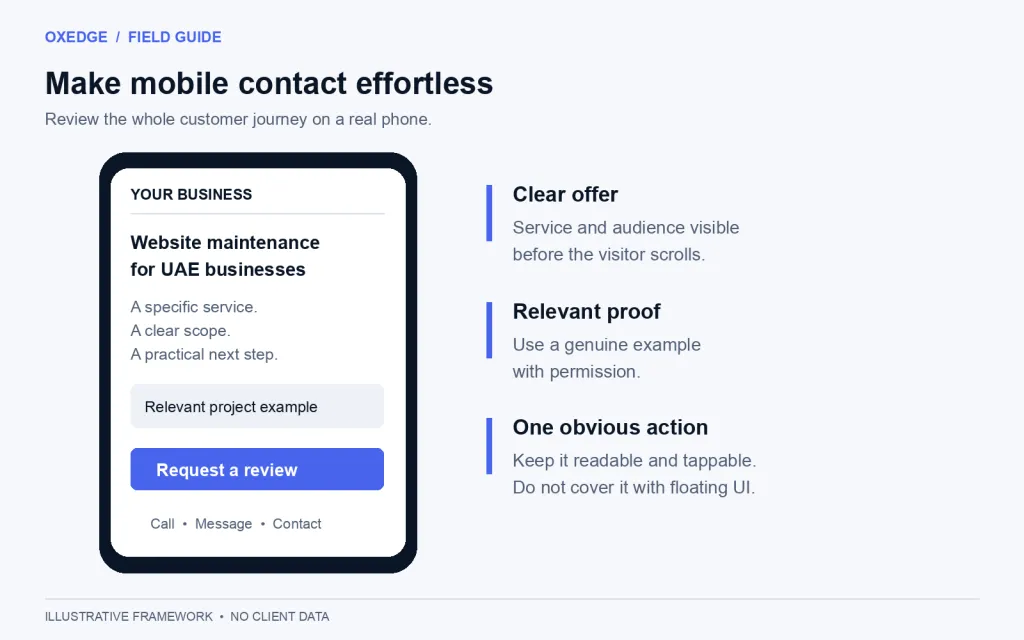
“Submit” describes a button. “Request a website review” describes the action the reader is choosing. Explain what information you need and what will happen next. If you promise a response time, make sure the responsible team can meet it during the stated hours.
Place proof beside the decision: a relevant project example, an authentic testimonial used with permission, or a clear explanation of your process. Avoid adding a wall of unrelated logos. A service buyer often needs to understand deliverables, ownership and support before they feel comfortable making contact.
Where price uncertainty is the obstacle, explain how you scope a quote and what affects the cost. You can link readers to a detailed guide such as website costs in Dubai. Use only prices and service commitments your business can substantiate.
5. Remove avoidable work from your enquiry form
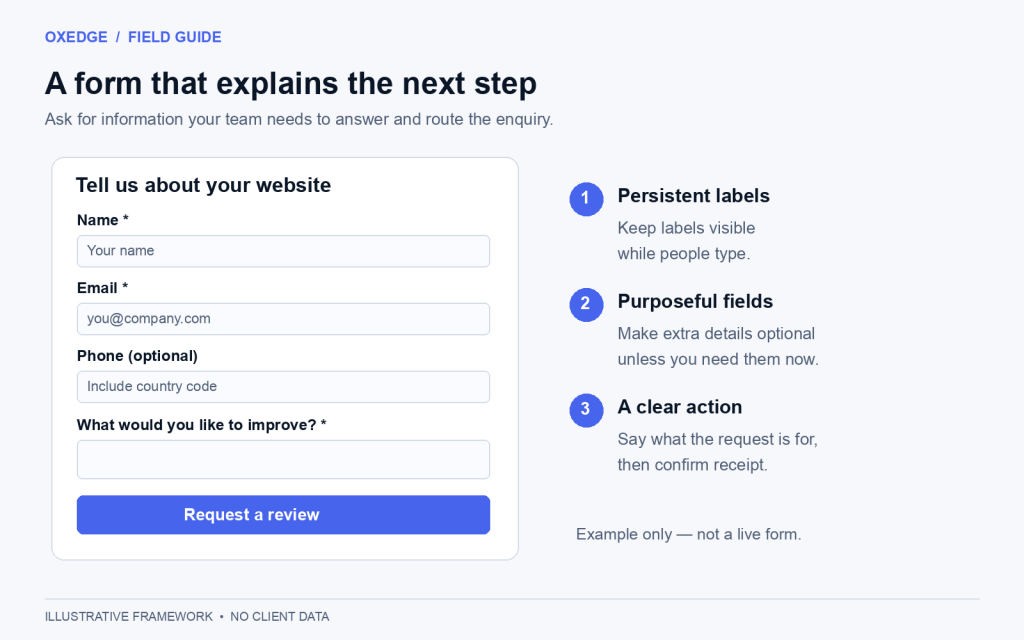
Ask for enough information to route and answer the enquiry. Every required field should have a purpose. A short initial form can collect a name, one preferred contact method and a useful description; more complex services may need additional qualification. Test the balance against lead quality rather than assuming fewer fields always wins.
Use visible labels, mark required fields clearly and show understandable errors beside the affected field. Do not rely on placeholder text as the only label: it disappears as people type. W3C’s form-label guidance explains how clear, associated labels support accessible forms.
Check names, international phone formats and language input with representative examples. Keep entered information when a validation error occurs. After success, show an unambiguous confirmation and the next step. Keep sensitive personal details out of analytics event names and URLs.
Do not make people type the same details twice in a multi-step form. WCAG 2.2 success criterion 3.3.7, Redundant Entry, at Level A, requires information a user has already entered to be filled in automatically or offered for selection when a later step asks for it again.
Source: W3C WAI, Understanding Success Criterion 3.3.7: Redundant Entry (WCAG 2.2)
6. Review the whole page on a real phone
Open your important landing pages on a phone and follow the same route a customer would. Check that navigation closes, text remains readable, form fields stay visible above the keyboard and floating contact buttons do not cover the submit button. Test contact links with and without the relevant app installed.
The phone is where your UAE audience already is. DataReportal’s Digital 2026 report puts internet adoption in the UAE at 99.0 per cent of the population and counts 23.0 million cellular mobile connections at the end of 2025, equal to 202 per cent of the population.
Source: DataReportal, Digital 2026: The United Arab Emirates (Kepios data, late 2025)
Review Arabic pages as complete experiences. Test layout direction, mixed-language numbers, field alignment and confirmation messages. Translation alone does not establish that the journey works. Our Arabic-first UX guide covers common layout and interaction issues.
For performance, Google’s Core Web Vitals assess loading, responsiveness and visual stability. Their “good” thresholds are LCP at or below 2.5 seconds, INP at or below 200 milliseconds and CLS at or below 0.1, assessed at the 75th percentile of visits. Use available field data alongside testing; a single lab score is not a conversion forecast. See Google’s Web Vitals guidance.
7. Give every enquiry an owner
A working website cannot compensate for an enquiry that nobody owns. Decide who receives each service request, who covers absences and how unresolved leads are surfaced. Record receipt, assignment, first response and outcome in the system your team actually uses.
For WhatsApp, test the published number and make sure the team can access incoming conversations. Tell visitors when replies are available. If you need shared handling or automation, our WhatsApp Business API guide explains the broader setup. Buying a messaging tool should follow a defined workflow.
What to fix first
Prioritise observed failures before speculative improvements. The order below is a starting point, not a guaranteed ranking of financial returns. Effort varies with your platform, integrations and access.
Swipe the table sideways to see every column.
| Priority | Action | Typical scope | Evidence of improvement |
|---|---|---|---|
| First | Repair broken submissions or routing | Targeted diagnosis and repair | Test enquiry reaches its owner |
| Next | Clarify service, audience and next step | Focused copy and layout update | Visitors understand the offer; suitable enquiries increase |
| Next | Fix mobile form and contact obstacles | Template or component changes | Real-device journeys complete without obstruction |
| Then | Improve proof and quote expectations | Content and evidence collection | Sales feedback shows better informed enquiries |
| After diagnosis | Rebuild templates or the entire site | Larger design and development project | Documented requirements pass acceptance checks |
Your next-week checklist
- Run and record one complete test for every enquiry route.
- Separate contact clicks, received enquiries and qualified opportunities.
- Review the pages bringing relevant potential customers.
- Test the mobile journey and each published language.
- Choose one evidenced problem, assign an owner and record the change date.
- Review actual lead quality with sales before deciding what to change next.
Frequently asked questions
What is a good website enquiry conversion rate?
There is no single target that suits every business. Service type, visitor intent, traffic source and what you count as an enquiry all matter. Start with a consistently defined baseline and compare equivalent audiences. A click rate and a qualified-enquiry rate answer different questions.
Should I buy more traffic first?
First prove that relevant visitors can enquire and the team receives their details. Once that route works, assess whether you need more suitable traffic. Increasing spend while a form or handover is broken makes diagnosis more expensive.
Do I need a complete redesign?
Only if the problems justify it. A delivery fault, unclear headline or obstructed button may need a focused fix. Consider a rebuild when the current structure repeatedly prevents essential journeys or is costly to maintain. Define acceptance criteria before commissioning it.
Work with OXEDGE
Find where your website loses the enquiry.
Share your website and the enquiry route you want to improve. We can discuss the page, contact flow and handover together, then scope the work around the problems identified.